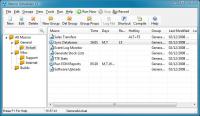
Save time and automate your PC. Record macros and build scripts with the powerful, easy to use scripting language. Assign macros to schedules, hotkeys or desktop shortcuts, or compile to standalone EXEs. Automate those mundane, repetitive tasks.
Save time and money by automating your work. Record macros or use the easy script language to automate and control all your Windows applications, automate software processes and assign tasks to schedules, desktop shortcuts or hotkeys. Perform complex tasks with a single mouse click, or schedule your computer to perform tasks while you are away. The simple natural-English script language is designed for anyone to pick up, with features for controlling any Windows application and powerful technology such as Screen Image Recognition and Screen Scraping Text Capture. More than 250 actions and standard programming constructs include the ability to send keystrokes and mouse events to other applications, wait for and activate windows and screen objects, perform internet tasks, run programs and commands, execute files, read from and write to files, copy, move and delete files, control applications with DDE, control Office apps, use VBScript, ActiveX/COM objects, access DLLs and Win32 functions, import, extract, convert and transfer data, even create interfaces with the built in Dialog Designer and more. A full featured, easy to use, editor, code builders and a debugger aid script creation. Use the Pro version to compile scripts into standalone EXE files which can be launched on any Windows PC. You do not have to be - or hire - a programmer to use Macro Scheduler. For complete ease of use, you can record macros to automatically create efficient, reliable scripts that can be edited and modified later. Recorded macros can even be compiled into standalone Windows applications.
Automate any software process - from disk maintenance to data migration, software testing, report generation, automated installations, application integration, file transfers, network and internet tasks, application monitoring, enterprise automation, remote administration and any other task. Supports Windows 2000, XP, Vista and Windows 7 as well as Windows 2003 Server and Windows 2008 Server.
Requirements:NT/2000/XP/2003/Vista/7
Operating system:Windows 2K / XP / Vista / Vista 64 bit / 7 / 7 64 bit / 8 / 8 64 bit / 2003 / 2008 / 2008 64 bit / Server 2012
Release notes:New Release

Step on the gas...and stay in control. 7Smoker Pro allows you to change various settings in the Windows Registry. These settings can improve the performance of your computer.
Price: $9.99, Rating: 6, Downloads: 253
Download

Make your PC run like new! Protect your data from malware and intruders. System Mechanic Pro combines 6 powerful products to optimize your registry, defragment drives and memory, speed up your computer, scrub personal data, and remove spyware.
Price: $27.98, Rating: 6.97, Downloads: 229
Download

Create baselines of your pc.
Price: $0, Rating: 8, Downloads: 164
Download
iSysCleaner is a freeware system optimization tool. It removes all unused files from your system with few clicks and faster - freeing up valuable hard disk space.
Price: $0, Rating: 10, Downloads: 163
Download
Stellar Smart - A Hard Drive / Disk monitoring software to diagnosis and monitor the activity of Hard drive as Temperature, Head Flying Height, Spin-Up Time.Stellar Smart acts as an "early warning system" for pending hard disk problems.
Price: $49, Rating: 8, Downloads: 144
Download 
 Macro Scheduler 14.3.09e